SuSolid for SketchUp

  1. ANALYSE your entire model with 1 click
  2. SOLIDIFY your entire model with a few clicks
  3. Check your entire model for SOLIDS INTERSECTION
  4. ASSIGN MATERIAL to your solids (iron, water, wood...)
  5. WEIGH your entire model

Assign Weight

Use Assign Weight when you already know what a group or component weighs, for example a bought part like a motor, which you don't need to model in detail.

Group
Measure
Works on
The groups and components you have selected. They don't have to be solid. In a component, every copy gets the weight.
Units
Kilograms in a metric model, pounds otherwise (set in Window › Model Info › Units).
Version
Full

How to use it

  1. Select the group or component.
  2. Click Assign Weight.
  3. Type the weight and click OK.

Before and after
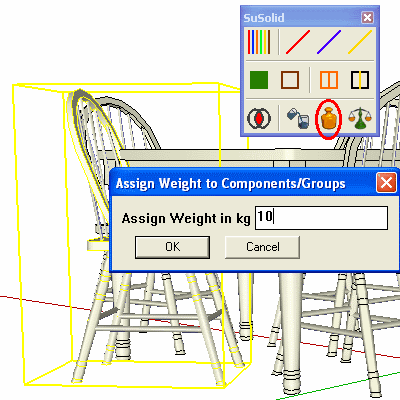
A chair selected, with the Assign Weight dialog open and 10 typed in the Assign Weight in kg field
Before: typing 10 kg for the selected chair.
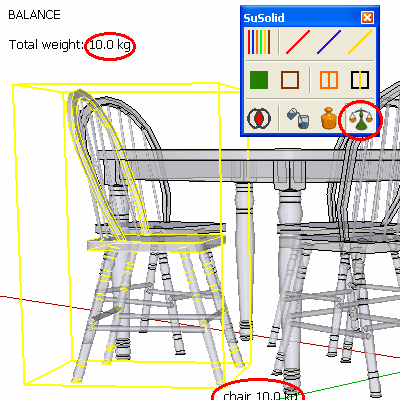
Balance view: the chair is labelled 10.0 kg and the total weight reads 10.0 kg
After: Balance shows the chair at 10.0 kg.

Limitations

Check the result

Run Balance: the part shows the weight you typed.