
 Group
Group
Groups all geometry that isn't in a group or component, the orange edges in Analyse. In SketchUp only groups and components can be solid, so this is usually the first repair.
What it groups
- Loose faces and edges: each connected piece becomes its own group.
- Loose geometry inside a group that also holds other groups or components. That mix stops the outer group from being solid, so the loose part gets a group of its own.
How to use it
- Run Analyse and look at the Ungrouped Edges (orange) counter.
- Click Group.
- Run the next repairs in order: red, green, then yellow.
Before and after
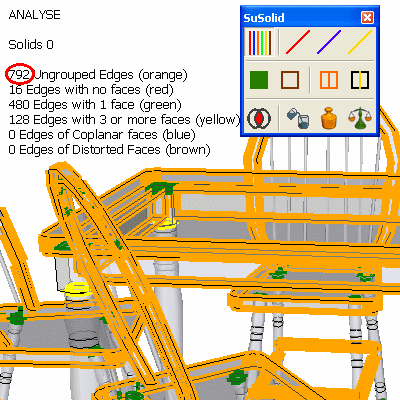
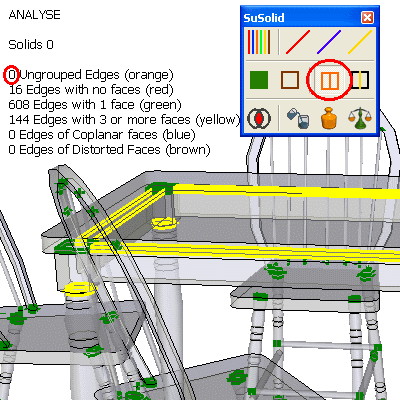
Limitations and intentional geometry
- Loose geometry you keep on purpose at the top of the model, such as a ground plane, 2D details or a title block, would be grouped too. Select only the parts you want to print or weigh.
- Grouping doesn't make anything solid by itself. It only makes it possible.
Check the result
The orange counter shows 0. Each piece now appears as a separate group in SketchUp's Outliner.