
 Balance
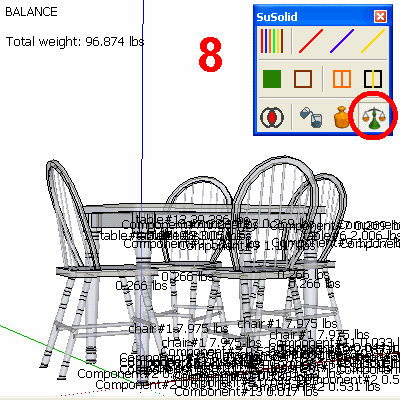
Shows the total weight of your selection, or of the whole model if nothing is selected, and labels every part with its name and weight.
How to use it
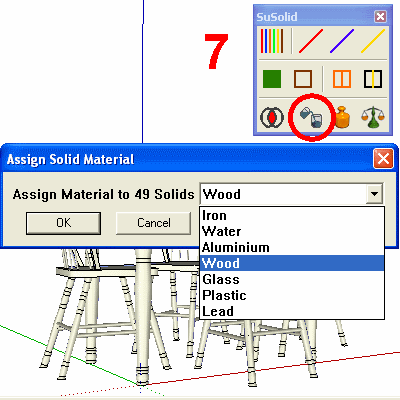
- Give the parts a solid material or a weight.
- Select the parts to weigh, or nothing for the whole model.
- Click Balance. The total is in the top-left corner; each part's name and weight is at the corner of its bounding box.
- To leave the view, choose another tool, for example Select.
Before and after
Limitations
- Parts with neither a material nor a weight add nothing to the total.
- On a model with many parts the labels overlap. Select fewer parts to read them.
Check the result
Compare the total with a part whose weight you know. If a part weighs far too much or too little, check its material, and check the model's size: a part drawn 1,000 times too large (typed in metres when you meant millimetres) weighs 1,000,000,000 times too much, because weight follows volume.