
 Delete Single Edges
Deletes edges that aren't connected to any face, the red edges in Analyse. A loose edge inside a group is enough to stop it from being solid.
How to use it
- Run Analyse and look at the Edges with no faces (red) counter.
- If you only want to clean part of the model, select it first.
- Click Delete Single Edges. The red edges disappear and the Analyse view comes back.
Before and after
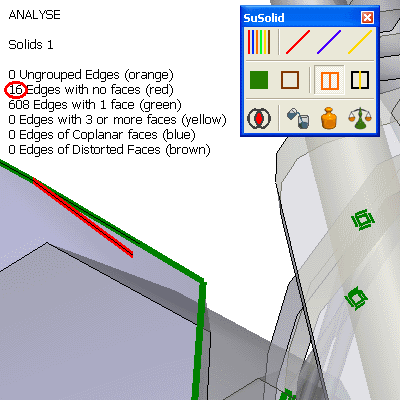
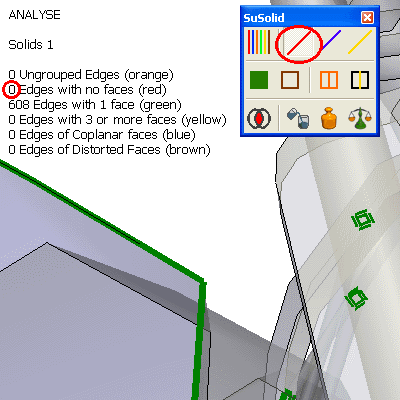
Limitations and intentional geometry
- Every edge without a face is deleted, including lines you drew on purpose: outlines, 2D details, or a sketch you kept for later. Select only the parts you want to clean, or put the lines you want to keep on a separate group outside the selection.
- Guides (construction lines) are not edges, so they are kept.
Check the result
The Edges with no faces (red) counter shows 0. Continue with the next colour: green (Close Holes).